If a page looks wrong, loads unexpected content, or performs poorly in search, the problem often starts in the HTML structure. A misplaced heading, missing landmark element, deeply nested layout, or duplicated metadata can make debugging harder than it should be. That is why many developers, SEOs, and site owners want a fast way to analyze HTML structure online without setting up a full local workflow first.
This guide explains what HTML structure analysis actually means, what to look for, and how to inspect a page in a practical way. You will learn how to review tag hierarchy, validate markup decisions, spot common structural problems, and use online tools effectively. Whether you are debugging a template, reviewing a competitor page, or checking how a crawler may interpret content, this article will help you do it with more confidence.
Quick answer
To analyze HTML structure online, enter a page URL or paste HTML into a trusted analyzer, then review the document outline, heading order, nested elements, metadata, and semantic tags such as header, main, article, and footer. The goal is to confirm that the markup is clean, logical, accessible, and easy for browsers, developers, and search systems to understand.
What does it mean to analyze HTML structure online?
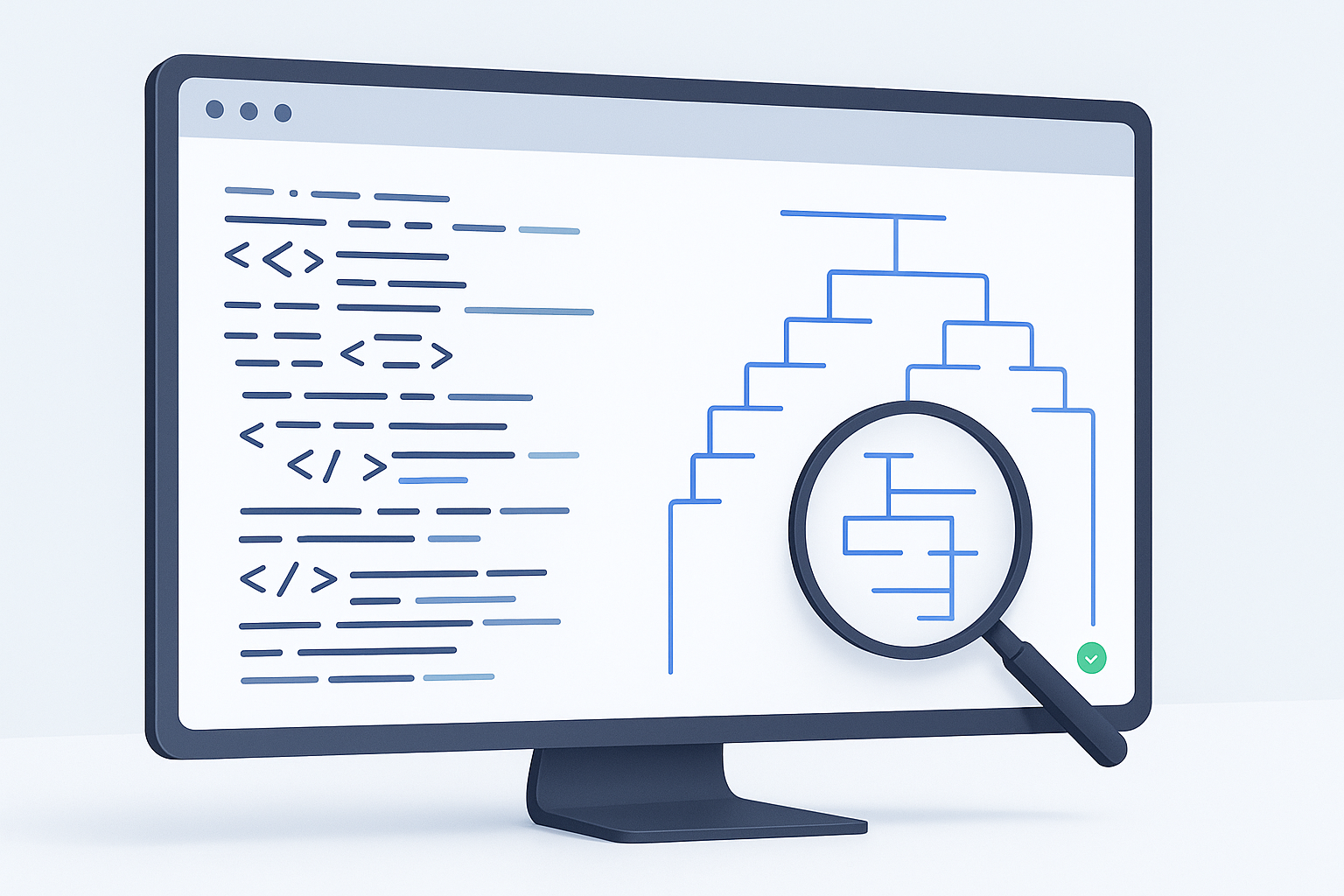
To analyze HTML structure online means using a browser-based tool to inspect how a web page is built. Instead of focusing on visual design, you review the page’s underlying markup: which tags are used, how content is nested, whether headings follow a logical order, and whether the document uses semantic elements correctly.
The easiest way to understand this is to think of HTML structure as the blueprint of a page. CSS changes the appearance, and JavaScript adds behavior, but HTML defines what each part of the page actually is.
- Headings: Are
h1,h2, and lower-level headings used logically? - Hierarchy: Are sections properly nested, or is the page cluttered with unnecessary wrappers?
- Semantic elements: Does the document use meaningful tags instead of generic
divelements everywhere? - Metadata: Does the page include important elements in the
headsuch as title, meta description, canonical link, and viewport settings? - Accessibility signals: Are landmarks and labels helping screen readers interpret the page?
Why analyze HTML structure online?
Analyzing structure matters because a page can look fine on screen while still being confusing underneath. Poor markup can affect accessibility, template maintenance, browser behavior, and how search engines interpret page content.
In practice, this is useful for several groups:
- Developers checking whether templates produce clean, maintainable markup
- SEO professionals reviewing heading structure, canonical tags, and content hierarchy
- Content teams making sure important sections are marked up clearly
- Website owners diagnosing why pages behave inconsistently
- Researchers comparing how different websites organize content
Good HTML structure is not just about writing valid tags. It is about making the page understandable to browsers, assistive technologies, developers, and search systems.
What an online HTML structure analyzer should help you inspect
When you analyze HTML structure online, you are not only checking if the code exists. You are checking whether the document makes sense. A useful analyzer should make the page hierarchy easier to read than scanning raw source manually.
1. Document hierarchy
The structure should show how major sections relate to each other. For example, a page usually benefits from a clear top-level content area and meaningful subsections. If everything is buried inside many generic containers, debugging becomes slower.
2. Heading order
Headings should help both users and machines understand topic flow. While HTML does not require a rigid outline in every case, large jumps such as h1 directly to h4 often signal poor structure or template inconsistencies.
3. Semantic tags
Modern HTML includes tags that describe purpose, not just layout. Common examples include nav, main, section, article, aside, and footer. MDN provides a useful reference on semantic HTML.
4. Metadata in the head section
A structure review should not stop at visible content. Important markup often lives in the head, including:
titlemeta name="description"link rel="canonical"meta name="robots"meta name="viewport"- structured data scripts, when present
5. Repeated or unnecessary elements
Sometimes a page is technically valid but structurally messy. For example, repeated nested div wrappers, duplicate headings, or empty elements can make maintenance harder and may confuse content extraction tools.
How to analyze HTML structure online step by step
If you need a practical workflow, start simple. The goal is to identify whether the page structure supports the content, not to inspect every tag in isolation.
- Open the page URL in a trusted analyzer. Use a browser-based HTML structure tool that can fetch the page or allow you to paste markup manually.
- Review the top-level layout first. Look for major page regions such as
header,nav,main, andfooter. This gives you a quick sense of overall organization. - Check heading hierarchy. Confirm that the page has a clear primary heading and that supporting headings are ordered in a sensible way.
- Inspect semantic elements. See whether sections are identified meaningfully or whether everything relies on generic containers.
- Look for structural clutter. Excessive nesting, empty tags, and repeated wrappers may indicate theme or template issues.
- Review the head section. Make sure title, description, canonical, and viewport tags are present where expected.
- Compare visible content with the markup. If the visual page and HTML tell different stories, JavaScript rendering or template problems may be involved.
- Document issues by page type. If you are auditing multiple URLs, group your notes by homepages, category pages, blog posts, product pages, or landing pages.
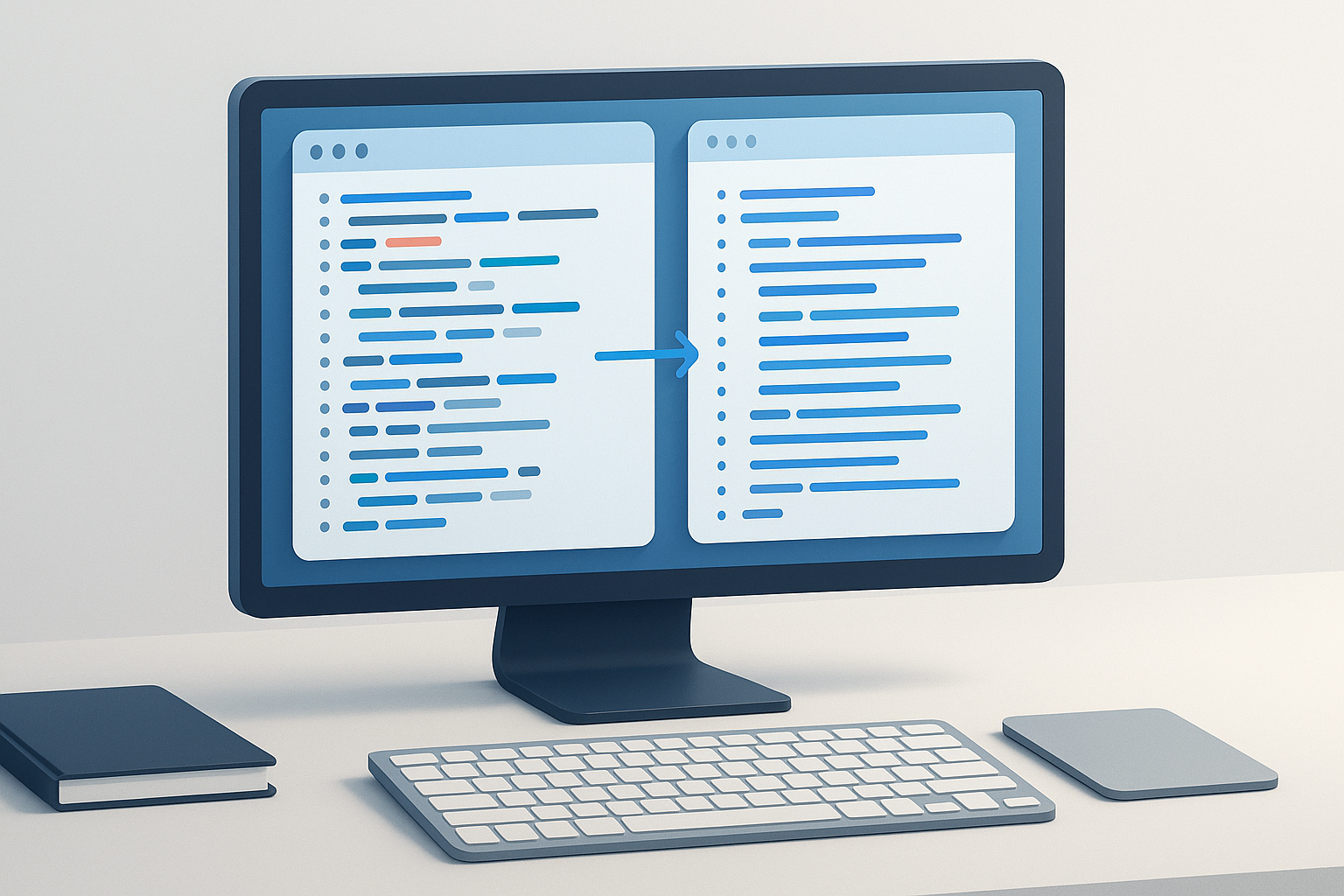
Suggested Image: Modern Developer Workflow Illustration Showing HTML Tree, Browser Window, and Markup Review Checklist
How online analysis differs from browser DevTools
Both approaches are useful, but they serve slightly different purposes. Browser DevTools are excellent for live inspection, while online analyzers can be faster for quick reviews, remote checks, or simplified structure summaries.
| Method | Best for | Strengths | Limitations |
|---|---|---|---|
| Online HTML structure analyzer | Quick page reviews, research, simple audits | Fast, accessible, often easier to read | May not fully reflect dynamic rendering |
| Browser DevTools | Detailed debugging and live DOM inspection | Precise, interactive, supports CSS and JS debugging | Can be overwhelming for quick audits |
| View page source | Raw HTML checks | Simple access to server-delivered markup | Harder to read on complex pages |
What good HTML structure usually looks like
There is no single perfect layout for every page, but good structure is usually predictable, meaningful, and not more complex than necessary. It helps users and systems find important content quickly.
- A clear
titleand meaningful metadata - One obvious primary page topic, usually reflected by an
h1 - Logical sections grouped under supporting headings
- Semantic elements used where they add meaning
- Navigation separated from main content
- Lists, tables, and forms marked up appropriately
- Minimal empty or decorative markup in key content areas
For formal HTML guidance, the WHATWG HTML Living Standard and the W3C introduction to web accessibility are strong primary references.
Common problems you can spot when you analyze HTML structure online
A structural review often reveals issues that are hard to catch from the front end alone. Here are some of the most common ones.
Missing or weak content hierarchy
If multiple sections appear visually important but the markup uses no meaningful heading structure, the page may be harder to scan, maintain, and interpret.
Too many generic div elements
Using div everywhere is not automatically wrong, but overuse can hide the actual purpose of content regions. Semantic tags can make page intent clearer.
Heading misuse
Design teams sometimes choose heading tags for styling instead of structure. That creates pages with skipped levels, repeated h1 elements used carelessly, or non-heading content wrapped in heading tags.
Duplicate metadata
Multiple canonical tags, duplicate meta descriptions, or conflicting robot directives usually point to template errors. Google explains canonicalization in its canonical URL documentation.
Empty elements and unnecessary wrappers
These often come from page builders, CMS plugins, or legacy templates. They may not break the page, but they make maintenance and auditing more difficult.
Important content loaded only after heavy JavaScript execution
This is an important limitation to understand. Some online analyzers show the original HTML response, while others may attempt to render the page. If critical content is injected later, the structure you see may be incomplete.
Practical use cases for developers and SEO teams
The best approach depends on what you’re trying to accomplish. HTML structure analysis supports more than debugging.
Template QA before launch
Developers can check whether a new template outputs a consistent heading order, semantic landmarks, and expected metadata across page types.
SEO page audits
SEOs often review structure to understand whether search engines are receiving clear signals about headings, canonicals, noindex rules, and content placement. Google’s broader explanation of how crawling and indexing work is available in Google Search Central documentation.
Competitor structure research
Sometimes you want to compare how several sites structure category pages, product pages, or articles. This is where workflow matters. If you are reviewing many URLs at once, a tool like OpenMultiURL can help you open multiple URLs from a prepared list to speed up page-by-page inspection, though each page still needs human review.
Accessibility checks
Structure analysis can reveal whether a page exposes meaningful page regions and heading flow for assistive technologies. It is not a complete accessibility audit, but it is a useful early step.
Content migration validation
After moving a site to a new CMS or theme, analyze representative pages to confirm that the markup is still clean and expected tags were not lost.
How to compare HTML structure across multiple pages efficiently
If you’re doing this regularly, there is a simpler workflow. Instead of treating every page as a separate task, compare page types in batches.
- Choose representative URLs. Include homepage, category, article, product, landing page, and contact page if relevant.
- Group them by template type. Structural issues usually repeat across templates, not random single pages.
- Open the set in separate tabs. For larger audits, OpenMultiURL can help you launch multiple URLs at once from a saved list of pages you want to inspect.
- Check the same elements on each page. Use a repeatable checklist: title, canonical, primary heading, major sections, semantic tags, and content depth.
- Record patterns, not just one-off errors. If all blog posts have missing landmark elements, that is a template issue. If one page is broken, it may be editorial or publishing related.
The goal is not to read every line of markup. The goal is to find repeatable structural patterns that affect usability, maintainability, or search visibility.
Best practices when you analyze HTML structure online
A simple review process produces better results than clicking through markup randomly. These habits make analysis more useful.
- Start with page purpose. A product page, blog article, and documentation page should not all share the same structural priorities.
- Check source and rendered output separately when needed. JavaScript-heavy pages may differ significantly.
- Review both visible and non-visible markup. Titles, canonicals, and robot tags matter even though users do not see them on the page.
- Look for consistency across templates. One clean page does not mean the whole site is structured well.
- Prioritize major issues first. Missing main content structure matters more than debating one extra wrapper element.
- Keep security in mind. Verify unfamiliar URLs before opening them, especially when reviewing lists from third parties.
Limitations of online HTML structure analyzers
Online tools are useful, but they are not complete replacements for manual review or browser debugging. Before you depend on the results, keep these limitations in mind.
- JavaScript rendering may vary. Some tools inspect only server-delivered HTML.
- Authenticated pages may not be accessible. If a page requires login, the analyzer may not fetch the real content.
- Blocked requests can affect output. Sites may restrict certain automated or remote requests.
- Dynamic personalization may change the page. Location, cookies, A/B tests, and user state can alter markup.
- Valid HTML is not the same as good structure. A page can technically validate while still being confusing or poorly organized.
For validation rules and parser behavior, the HTML standard and official browser documentation remain more authoritative than any individual web tool.
Common mistakes when reviewing page structure
Here’s where many beginners get confused. They assume structure analysis is just about finding errors. It is really about understanding whether the markup communicates the page properly.
- Focusing only on visual layout. A neat design can hide disorganized markup.
- Assuming one missing semantic tag is a crisis. Context matters. Focus on meaningful structural weaknesses first.
- Ignoring the head section. Important SEO and browser signals often live there.
- Confusing the DOM with raw source. Browser-rendered output may differ from initial HTML.
- Reviewing only one page. Template problems usually affect many URLs.
- Treating structure as an SEO trick. Clean HTML helps interpretation, but it does not guarantee rankings.
Troubleshooting: when the HTML structure looks wrong
If the analyzer output seems incomplete or confusing, do not assume the tool is broken immediately. Several technical reasons can affect what you see.
The page shows little or no content
Possible causes include JavaScript rendering, blocked requests, geolocation rules, or authentication requirements. Check the page in your browser, compare view source with DevTools, and test whether the page depends on client-side rendering.
The heading order looks strange
This often happens when a CMS theme uses heading tags for size instead of meaning. Review the template components rather than editing one page manually if the pattern repeats.
Metadata appears duplicated
Duplicate canonicals or meta robots tags usually come from plugins, custom theme code, or multiple SEO layers inserting the same element. Check template logic and plugin settings.
The structure is overloaded with nested divs
Page builders and legacy templates commonly create this problem. The practical fix is usually template cleanup, not manual edits to individual published pages.
A practical checklist for analyzing HTML structure online
If you want a repeatable process, use this short checklist on every page type you inspect.
| Area to review | What to check | Why it matters |
|---|---|---|
| Title and meta tags | Unique, relevant, correctly placed | Affects interpretation and search presentation |
| Canonical tag | Present when expected and not duplicated | Helps signal preferred URLs |
| Primary heading | Clear page topic | Improves content hierarchy |
| Heading flow | Logical sequence across sections | Supports readability and maintenance |
| Semantic landmarks | Use of main, nav, article, etc. |
Clarifies page regions |
| Nesting depth | Excessive wrappers or clutter | Impacts maintainability and debugging |
| Rendered vs source HTML | Whether critical content loads late | Affects SEO and tool accuracy |
Frequently asked questions
1. Can I analyze HTML structure online without downloading the page?
Yes. Many browser-based tools let you inspect a live URL directly or paste HTML into a form. This is useful for quick reviews, especially when you do not need a full local development setup. Still, remember that some pages render important content with JavaScript after load, so the tool may not show the complete final structure.
2. Is analyzing HTML structure the same as validating HTML?
No. Validation checks whether markup follows syntax and standards rules. Structure analysis asks whether the page is organized logically and meaningfully. A page can be valid HTML and still have poor heading hierarchy, weak semantics, duplicate metadata, or cluttered nesting. Both checks are useful, but they answer different questions.
3. Why does heading structure matter if the page looks fine visually?
Because headings are not only for design. They help define topic hierarchy for users, assistive technologies, content editors, and search systems. If the heading order is inconsistent or used only for styling, the page may become harder to understand and maintain even if it seems visually polished.
4. Can HTML structure affect SEO?
Yes, indirectly and sometimes directly. Clean structure can improve how search engines interpret page topic, section relationships, metadata, canonical signals, and main content placement. However, HTML structure alone does not guarantee rankings. It works best as part of a broader technical SEO foundation that also includes crawlability, content quality, internal linking, and performance.
5. What is the difference between raw HTML source and the DOM?
The raw HTML source is the markup initially delivered by the server. The DOM is the browser’s live page representation after parsing the HTML and potentially running JavaScript. If a site injects content dynamically, the DOM may contain elements that do not appear in view source. This difference matters when you analyze HTML structure online.
6. Are semantic HTML tags required for every page?
Not every page needs every semantic tag, and using a semantic tag does not automatically make a page better. The real goal is clarity. Use semantic elements where they accurately describe page regions or content purpose. Avoid adding tags just to appear modern if they do not improve meaning or maintainability.
7. How do I check many pages efficiently?
Start by grouping URLs by template type, such as blog posts, product pages, or categories. Then review a sample from each group using the same checklist. If you need to launch several URLs quickly for side-by-side inspection, OpenMultiURL can help open multiple URLs at once from a prepared list, which is useful for repetitive research workflows.
8. Is it safe to analyze any URL I find online?
No. Be careful with unfamiliar URLs, especially in bulk lists from outside sources. Verify domains before opening them. A structure analyzer is a productivity tool, not a security guarantee. Suspicious pages may still contain deceptive content, unsafe downloads, or login traps. Responsible web use always comes first.
Conclusion
If you need to analyze HTML structure online, focus on the parts that actually affect clarity: hierarchy, headings, semantics, metadata, and consistency across page types. A fast online review can reveal template problems, content organization issues, and SEO signals that are easy to miss from the visual page alone.
For ongoing audits, use a repeatable checklist and compare representative URLs rather than reviewing pages randomly. And if your workflow involves checking many pages in one session, OpenMultiURL can help you open multiple URLs at once so structure reviews are easier to manage. The real win is not more tabs. It is a cleaner, faster, more reliable way to inspect how websites are built.