Need to fit an article into a word limit, a social post into a character cap, or a school assignment into a page requirement? That usually starts with one simple question: how to check word count online without opening complicated software or formatting your text first. Many people only need a fast, accurate count for words, characters, sentences, and reading time, but they end up switching between apps or counting the wrong thing.
This guide explains the easiest ways to check word count online, what the numbers actually mean, and when each metric matters. You’ll learn how online word counters work, how to use them step by step, what common mistakes to avoid, and how to choose the right measurement for blogs, essays, SEO writing, captions, and everyday web tasks.
Quick answer
To check word count online, paste your text into a web-based word counter. The tool will usually calculate words instantly and may also show characters, sentences, paragraphs, and estimated reading time. This is useful when you need a quick count without opening a document editor or when you want extra writing metrics in one place.
What does it mean to check word count online?
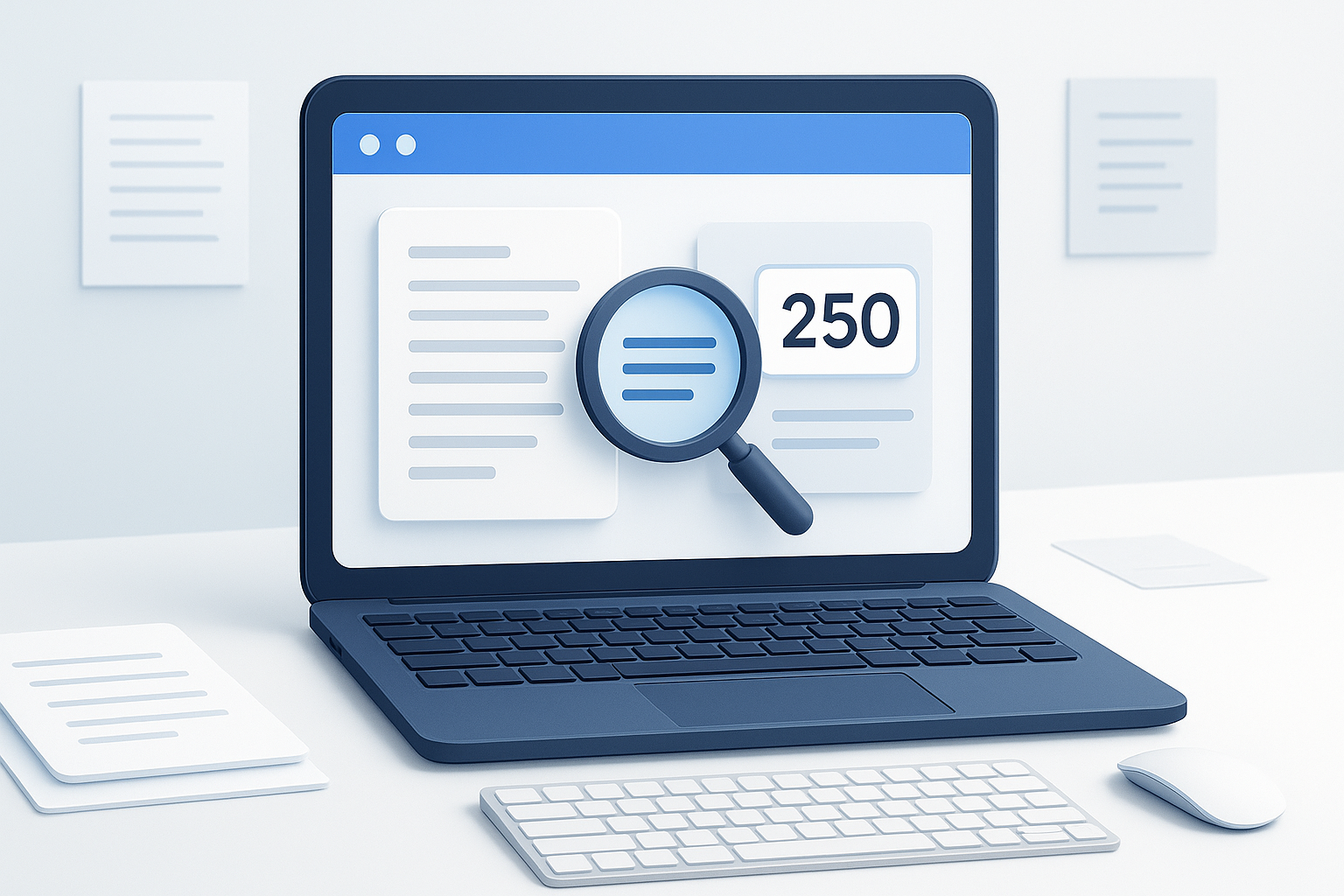
Checking word count online means using a browser-based text tool to measure how many words appear in a piece of writing. Instead of relying on desktop software, you copy and paste your text into an online field and the count is generated automatically.
Most online counters do more than count words. They often show:
- Characters with and without spaces
- Sentences for readability checks
- Paragraphs for structure
- Reading time for audience planning
- Speaking time for scripts or presentations
The biggest advantage is convenience. You can use a browser on almost any device, paste text quickly, and get the numbers you need in seconds.
Why online word count matters
A word count is not just a number. It often determines whether your content fits a requirement, performs well in a format, or stays readable for the intended audience. That is why checking word count online is useful for both casual and professional writing.
Common situations where word count matters
- Students checking essay and assignment limits
- Writers managing article length
- Marketers planning ad copy, emails, and landing pages
- SEO professionals comparing page content depth
- Job seekers trimming cover letters or application responses
- Social media users checking short-form post limits
- Speakers estimating presentation timing
In practice, this means you often need more than a rough estimate. A reliable online counter saves time and helps prevent avoidable edits later.
How online word counters work
Most online word counters split pasted text into countable units, then total them automatically. A “word” is usually identified by spaces and punctuation patterns, although exact counting rules can vary slightly from tool to tool.
Here’s the important part: different platforms may count text differently. For example, contractions, hyphenated terms, symbols, emojis, line breaks, or unusual formatting may affect totals. If you are working under a strict requirement, always check whether the submission platform has its own counting rules.
For general writing tasks, online counters are usually accurate enough for:
- Draft planning
- Editing
- SEO content reviews
- Character-limit checks
- Readability estimates
How to check word count online step by step
If you want the simplest workflow, use a browser-based text counting tool and review the metrics that matter for your task.
- Open an online word counter. Choose a text tool that clearly displays word count and related metrics.
- Paste your text into the input box. This can be an article draft, essay, product description, email, caption, or script.
- Review the word count first. If you are working against a word limit, this is usually the main number you need.
- Check related metrics. Look at character count, sentence count, paragraph count, or reading time if relevant.
- Edit your text as needed. Remove repetition, shorten long sentences, or expand sections if you are under the target.
- Recheck after editing. Counts change with every revision, so review the final version before publishing or submitting.
A simple workflow looks like this: write first, measure second, edit third, then verify the final version one more time.
Suggested Image: Clean illustration of an online text box showing words, characters, sentences, and reading time
Which count should you use: words, characters, sentences, or reading time?
Many users search for word count but actually need a different metric. The best approach depends on what you’re trying to accomplish.
| Metric | Best for | Why it matters |
|---|---|---|
| Word count | Essays, blog posts, reports, articles | Shows overall content length in a familiar format |
| Character count | Social posts, ad copy, metadata, forms | Some platforms limit characters rather than words |
| Sentence count | Readability checks, editing, education | Helps identify dense or overly long writing |
| Paragraph count | Formatting, structure planning | Useful for layout and readability |
| Reading time | Blogs, newsletters, scripts | Helps set reader expectations |
Here’s where many beginners get confused: a text can have an acceptable word count but still fail a character limit. That happens often with titles, social media captions, ad text, and search snippets.
Best use cases for checking word count online
Online word counters are useful for much more than school assignments. They fit a wide range of web and writing workflows.
Blog writing and content marketing
If you publish articles, word count helps you compare draft length with your content brief, outline, or target reading depth. It is especially helpful when editing sections that became too long or too thin.
SEO content planning
Word count is not a ranking factor by itself, but it can help you evaluate coverage, pacing, and structure. Google emphasizes helpful, people-first content over arbitrary length targets, as explained in Google’s guidance on creating helpful, reliable, people-first content.
For SEO work, the smarter use of word count is to support editing, not to chase a magic number.
Social media and ad copy
Short-form platforms usually care more about characters than words. Still, a word counter that also shows character count can help you trim text quickly before posting.
Academic writing
Students can use online tools to check whether an assignment meets a minimum or maximum length. This is especially useful when the final submission happens in a browser rather than a document editor.
Email and business communication
Concise writing is easier to read. Checking the count before sending a long message can help you tighten the wording and improve clarity.
How to check word count online accurately
If accuracy matters, especially for submissions or publishing constraints, follow a few simple checks before trusting the number.
- Paste plain text when possible. Hidden formatting can sometimes affect spacing or paragraph detection.
- Remove duplicate text. Repeated sections inflate counts without adding value.
- Watch punctuation-heavy content. Lists, symbols, hashtags, and abbreviations may be handled differently across tools.
- Recheck after final edits. Small changes add up fast.
- Confirm platform-specific rules. Some systems count titles, references, or footnotes differently.
A useful word count is not just fast. It also matches the requirement you are actually trying to meet.
Common mistakes when checking word count online
Most counting errors are simple workflow problems, not tool failures. Avoiding them will save time and prevent last-minute rewrites.
Confusing word count with character count
This happens often with social media, SEO titles, and form fields. A paragraph may fit a word target but still exceed a character cap.
How to avoid it: Check which measurement the platform actually uses before editing.
Counting the wrong version of the text
People sometimes paste a draft instead of the final copy, or count a section without the heading, disclaimer, or call to action.
How to avoid it: Count the exact version you plan to submit or publish.
Assuming every tool counts exactly the same way
Word counting rules can differ slightly depending on punctuation and formatting.
How to avoid it: If the text must meet a strict limit, compare the result with the target platform’s own counter when available.
Ignoring reading time
For blog posts, newsletters, and scripts, total words do not tell the whole story.
How to avoid it: Review estimated reading or speaking time when audience experience matters.
Limitations of online word counters
Online tools are convenient, but there is an important limitation to understand: they measure text patterns, not writing quality or intent.
- They cannot tell whether your content answers the reader’s question.
- They do not judge tone, clarity, or accuracy.
- They may count unusual formatting differently from your destination platform.
- They do not replace proofreading or editing.
- Some browser-based tools may not preserve every formatting detail from rich text editors.
If you are preparing content for search, remember that search quality depends on usefulness, originality, and relevance more than length alone. Google’s SEO Starter Guide is a good reference for that broader context.
Practical examples
The easiest way to understand this is through real workflows.
Example 1: A student checking an essay
A student has a 1,000-word assignment with a 10% margin. They paste the draft into an online counter, find it is 1,180 words, and then cut repetitive examples and long transitions. After revision, they recheck the count and submit the final version with confidence.
Example 2: A marketer shortening a meta description draft
A marketer writes search snippets for several pages and wants to keep each one concise. They use character count, not just word count, because search snippets are displayed in limited space and may be truncated depending on device and search result formatting.
Example 3: A blogger estimating reading time
A blogger checks final article length before publishing. The reading-time estimate helps them set expectations for visitors and compare article depth across a content series.
How word count fits into a broader web productivity workflow
Word count often sits inside a larger browser-based process. You might write copy, review search results, compare competitor pages, gather references, and then publish. In those situations, speed matters.
If you regularly research multiple pages while editing text, a separate multi-tab workflow can save time. For example, OpenMultiURL is a free online tool that helps users open multiple URLs at once, which can be useful when comparing source pages, outlines, or content references during research-heavy writing work.
The goal is not to open more tabs for the sake of it. It is to reduce repetitive browser work and keep your attention on the task.
Tips for choosing a good online word counter
Not every text tool is equally useful. A good one should help you act on the numbers, not just display them.
- Instant updates: Counts should refresh as you paste or edit.
- Multiple metrics: Words alone are not always enough.
- Clear layout: You should see the key numbers immediately.
- Simple input: No account or setup should be required for basic use.
- Browser convenience: It should work smoothly on desktop and mobile browsers.
If you also work with repetitive link-based tasks, keeping a small set of browser utilities ready can improve your workflow. Tools for text measurement, URL handling, and tab management tend to work well together.
Troubleshooting: why your count may look wrong
If the result looks inaccurate, the problem is often formatting or input-related rather than a major counting failure.
The text includes strange spacing
Extra spaces, copied line breaks, or pasted formatting from PDFs can affect counts.
Try this: Paste the text into plain text first, then paste it into the counter again.
The character count is higher than expected
Spaces, punctuation, and line breaks may be included, depending on the metric shown.
Try this: Check whether the tool separates “characters with spaces” and “characters without spaces.”
The destination platform shows a different number
Some websites use their own counting logic.
Try this: Use the platform’s built-in counter as the final authority when submitting content with strict limits.
The text is too large to manage comfortably
Very long drafts can be harder to review in one block.
Try this: Count individual sections first, then verify the full version at the end.
Suggested Image: Side-by-side comparison of word count, character count, and reading time for the same text
Word count and SEO: what matters and what does not
Writers often assume longer content is automatically better for search. That is not a reliable rule. Search engines do not reward word count by itself. What matters more is whether the content is useful, accurate, well-organized, and aligned with the searcher’s intent.
Word count is still helpful in SEO workflows because it can support:
- Content gap reviews
- Draft planning
- Section balancing
- Readability improvements
- Editorial consistency
For technical context, Google documentation on how Google crawlers access pages and broader indexing behavior makes it clear that visibility depends on many factors beyond length alone.
Frequently asked questions
1. What is the easiest way to check word count online?
The easiest method is to paste your text into a browser-based word counter. The tool will usually show the word total instantly, and many also display characters, sentences, paragraphs, and reading time. This is faster than opening a full document editor when you only need a quick measurement.
2. Are online word counters accurate?
For general writing tasks, they are usually accurate enough. However, exact totals can vary slightly depending on how a tool handles punctuation, line breaks, contractions, hyphenated words, or symbols. If you are submitting text to a platform with strict limits, compare the result with that platform’s built-in counter when possible.
3. Can I check word count on my phone?
Yes. Most online word counters work in mobile browsers, so you can paste text from notes, email drafts, chat apps, or document apps and get an instant result. The exact layout may vary by screen size, but the basic workflow is the same as on desktop.
4. Should I use word count or character count?
Use word count for essays, articles, reports, and most long-form writing. Use character count for social media posts, meta descriptions, ad copy, form fields, and other space-limited formats. If you are unsure, check the platform requirement first. Many people edit the wrong metric and waste time.
5. Does word count affect SEO rankings?
No, not directly. There is no universal ideal word count that guarantees rankings. Content length can help support depth and completeness, but search performance depends more on relevance, quality, originality, and whether the page satisfies the search intent. Use word count as an editing aid, not a ranking formula.
6. Why does one tool show a different count from another?
Different tools may apply slightly different rules to numbers, symbols, URLs, emojis, abbreviations, and hyphenated terms. Rich text formatting can also create unexpected spacing. If consistency matters, clean the text first and use the same tool throughout the editing process. For final submission, defer to the destination platform’s own count if available.
7. Can online word counters estimate reading time?
Yes, many can. Reading-time estimates are based on an average reading speed, so they are directional rather than exact. They are useful for blog posts, newsletters, guides, and scripts because they help set expectations for readers. Actual reading time will vary based on complexity and formatting.
8. Is it safe to paste text into an online word counter?
For ordinary public or low-risk text, it is usually fine. But be careful with sensitive content such as private contracts, personal identification data, passwords, financial information, or confidential company material. As a general rule, only paste text into tools you trust and avoid sharing anything that should remain private.
Conclusion
If you need to know how to check word count online, the fastest approach is simple: paste your text into a browser-based counter, review the word total, and then check related metrics like characters, sentences, and reading time when they matter. That one small step can make writing, editing, and publishing much easier.
Use the count that matches the task, verify the final version before submitting, and remember that good writing is about clarity and usefulness, not just length. If your workflow also involves opening multiple reference pages while you write, OpenMultiURL can help simplify the browser side of that process by opening multiple URLs at once.