


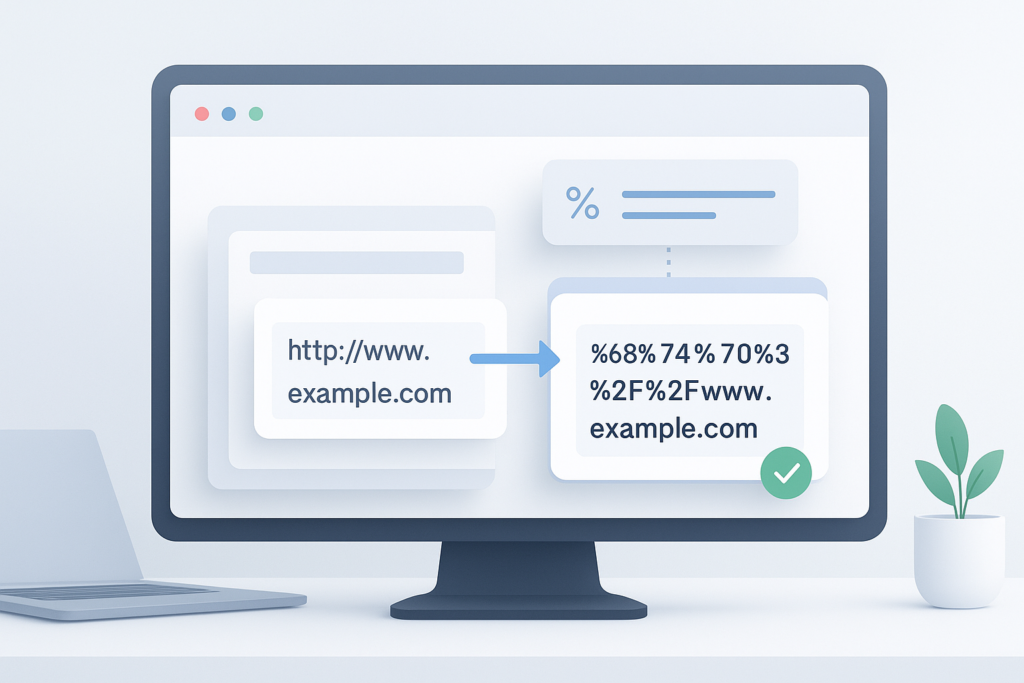
A link works perfectly in one place, then breaks the moment you paste it into a form, email, tracking template, or browser address field. In many cases, the problem is not the destination page. It is the URL itself. Spaces, symbols, and special characters often need to be converted into a web-safe format before a browser or application can read them correctly.
If you are searching for how to encode a URL online, you are usually trying to fix a broken link, add parameters safely, share a URL without errors, or prepare a link for a tool or script. This guide explains what URL encoding means, when you need it, how to do it safely online, and which mistakes to avoid. You will also see practical examples for everyday web use, marketing links, and SEO-related tasks.
Quick answer: how to encode a URL online
To encode a URL online, paste the full URL or the part that contains unsafe characters into a trusted URL encoder tool. The tool converts characters like spaces, ampersands, and non-ASCII symbols into a percent-encoded format such as %20. Use encoding when a link contains special characters, query parameters, or text that could otherwise break the URL.
What URL encoding means
URL encoding is the process of replacing characters that are not safe in a web address with a standardized format that browsers and servers can understand. Most often, this uses a percent sign followed by two hexadecimal digits. For example, a space may appear as %20.
The easiest way to understand this is to think of encoding as translation. A browser may display a readable URL, but behind the scenes certain characters need to be converted so they do not get misread as separators, commands, or invalid text.
According to MDN’s percent-encoding reference, characters that have special meaning in URLs often need to be encoded to preserve the intended value.
Common examples of encoded characters
%20&becomes%26=becomes%3Dwhen it is part of a value?becomes%3Fwhen it should be treated as text, not a query separator#becomes%23when it should be part of the URL value
Why URL encoding matters
Encoding matters because URLs have structure. Certain characters are reserved for specific jobs, such as separating the path from the query string or splitting one parameter from another. If those same characters appear in your content without being encoded, the browser or server may interpret the link incorrectly.
In practice, this means encoding can help you:
- Prevent broken or truncated links
- Pass search terms safely in query parameters
- Share URLs that include spaces or symbols
- Avoid tracking parameter errors
- Reduce issues in forms, APIs, and redirects
A readable URL is useful for people. A properly encoded URL is what helps browsers and servers process it correctly.
When you should encode a URL
You do not need to encode every character in every web address manually. Modern browsers handle some things automatically. But there are clear situations where encoding is important.
Encode when a URL contains special characters
If your link includes spaces, punctuation, symbols, or non-English characters inside a parameter value, encoding is usually necessary. This is common when passing user input, page titles, or search queries inside a URL.
Encode when adding query parameters
Query parameters come after the ? in a URL. If a parameter value itself contains reserved characters like & or =, encoding prevents the browser from treating them as part of the URL structure.
For technical background, the structure of a URL is defined in the URI syntax standard in RFC 3986.
Encode when building links for marketing or analytics
UTM-tagged links often contain campaign names, source labels, or keywords. If those values include spaces or symbols, encoding helps preserve the exact data. This is especially useful when links are shared across email tools, spreadsheets, CRM platforms, and ads.
Encode when working with online tools or scripts
Many web tools, APIs, and automation workflows expect properly encoded input. If a URL is malformed, the request may fail or return unexpected results.
When you should not encode the whole URL blindly
Here is where many beginners get confused. Encoding the wrong part of a URL can break it just as easily as not encoding it at all. In many cases, you should encode only the parameter value or specific unsafe characters, not the structural parts of the address.
For example, if you encode :, /, ?, and & in a complete URL that is already valid, you may turn a working web address into plain text that no longer functions as expected in the browser.
| Situation | Best approach |
|---|---|
| A normal page URL with no unusual characters | Usually no manual encoding needed |
| A search query inside a URL parameter | Encode the query value |
| A campaign name with spaces and symbols | Encode the parameter value |
| A full URL being passed as a parameter inside another URL | Encode the nested URL |
How to encode a URL online safely
If you want a simple method, use a trusted online encoder and check the result before using it publicly. The process is quick, but accuracy matters.
- Copy the exact URL or text you need to encode. If only one parameter value contains unsafe characters, copy just that value rather than the entire URL.
- Paste it into a reliable URL encoder tool. A dedicated encoder is easier than guessing which characters need conversion manually.
- Run the encoding process. The tool should return a version with percent-encoded characters such as
%20,%26, or%3F. - Check whether you encoded the correct part. If the full URL now looks completely unreadable, confirm that you did not encode separators that should stay intact.
- Test the final link. Open it in a browser or paste it into the platform where you plan to use it.
- Verify the destination and parameters. Make sure the page loads correctly and any tracking or search values remain accurate.
Suggested Image: URL Encoder Tool Interface with Before and After Example
Practical examples of URL encoding
Examples make this much easier to understand. Below are common cases where online URL encoding helps.
Example 1: Search query with spaces
Suppose a website uses a search URL like this:
https://example.com/search?q=running shoes men
The spaces in the search phrase can cause issues depending on how the system handles the query. A safer version is:
https://example.com/search?q=running%20shoes%20men
This tells the server that the spaces are part of the search term, not accidental formatting.
Example 2: Parameter value with an ampersand
Imagine a campaign name is:
summer sale & clearance
If you place that directly into a URL parameter, the & may be treated as the start of a new parameter. Encoding it preserves the real value:
summer%20sale%20%26%20clearance
Example 3: A URL inside another URL
This is common with redirect links, tracking systems, and some sharing tools. If a destination URL is passed as a parameter, it often needs encoding so its own ?, &, and = characters do not interfere with the outer URL.
For example, a nested destination like:
https://example.com/page?ref=email&id=42
might need to appear as:
https%3A%2F%2Fexample.com%2Fpage%3Fref%3Demail%26id%3D42
How URL encoding works behind the scenes
A URL can contain reserved and unreserved characters. Unreserved characters such as letters, numbers, hyphens, underscores, periods, and tildes are generally safe to use as they are. Reserved characters have structural meaning and may need encoding when they are part of actual content rather than separators.
Official guidance from the WHATWG URL Standard and MDN’s URL documentation helps explain how browsers parse URLs and why encoding is context-dependent.
Reserved characters to watch
:/?#[ ]@!$&'( )*+,;=
The key point is simple: a character may be valid in one part of a URL and risky in another. That is why careful encoding matters.
Common mistakes when encoding URLs online
Most encoding problems come from misunderstanding which part of the URL needs conversion. A few basic checks can prevent a lot of frustration.
Encoding the entire URL when only one value needs it
This often happens when someone copies a full link into an encoder even though the issue is only inside a search term or campaign parameter. Result: the separators get encoded too, and the link may stop behaving as intended.
Double-encoding
Double-encoding means data that is already encoded gets encoded again. For example, %20 can become %2520. This changes the original meaning and often breaks redirects, parameter values, and search queries.
Assuming browsers will always fix the problem automatically
Browsers can normalize some URLs, but not every app, platform, CMS, analytics tool, or email system handles malformed links the same way. If you are sharing links across systems, manual verification is still important.
Using unknown tools with sensitive URLs
If the URL contains private tokens, internal parameters, or confidential information, avoid pasting it into untrusted tools. Use reputable services, or encode locally if possible.
Safety tips before you encode or open a URL
Encoding a URL does not make it safe. It only makes it technically valid for transmission or processing. You should still treat unfamiliar links carefully.
- Check the domain before opening the link
- Be cautious with shortened or redirected URLs
- Do not paste login links, password reset links, or confidential tokens into unknown tools
- Verify whether the destination is expected and trustworthy
- Test links in a controlled workflow if they came from an unverified source
If you need to review many links as part of research or auditing, staying organized matters just as much as opening them safely.
Use cases for marketers, SEO teams, and everyday users
URL encoding is not just for developers. It shows up in regular web work more often than many people realize.
For digital marketers
- Building UTM-tagged campaign URLs
- Passing ad or keyword values into landing page links
- Preventing broken tracking caused by spaces or symbols
For SEO and content teams
- Testing search-result URLs with custom query strings
- Checking how site search handles encoded keywords
- Managing large lists of links for audits and content reviews
For general web users
- Sharing links that include special characters
- Fixing copied URLs from forms or documents
- Using encoded links in online tools that reject raw text
If your workflow includes checking many pages after building or fixing links, a bulk tab workflow can help. OpenMultiURL is a free online tool for opening multiple URLs at once, which can be useful when validating a batch of encoded links during research or QA.
URL encoding and browser productivity
Encoding and link management often go together. Once you start working with many corrected URLs, opening them one by one becomes slow and error-prone.
A simple workflow looks like this:
- Prepare or fix the URLs
- Encode only the parts that need encoding
- Test one example manually
- Review the rest in batches
- Keep a clean list of final working links
This is especially useful for campaign reviews, redirect testing, content QA, and research projects involving multiple pages.
Suggested Illustration: Manual Link Testing vs Batch URL Review Workflow
Limitations to understand
URL encoding solves formatting issues, but it does not fix every web problem. There is an important limitation to understand: a properly encoded URL can still fail for reasons unrelated to encoding.
- The page may not exist
- The website may require login or session access
- The server may reject malformed parameters for other reasons
- The destination may redirect unexpectedly
- The site may block automated or repeated requests
- Browser behavior may vary slightly depending on version and context
This is why testing matters. A technically encoded URL is only one part of a working link.
Troubleshooting encoded URLs that still do not work
If an encoded URL fails, do not assume the encoding itself is wrong. Check the surrounding context.
The page does not load
Make sure the base URL is valid and the domain is correct. Encoding cannot repair a typo in the host name or path.
The parameter value looks wrong
Check for double-encoding. If you see repeated percent sequences like %2520, the value may have been encoded twice.
The link redirects somewhere unexpected
Review whether a nested URL was encoded correctly inside the outer URL. Improper handling of &, ?, or = is a common cause.
The website search or form returns strange results
Some systems interpret spaces as + and others as %20 depending on context. If the output seems off, test the site’s expected format and review its documentation if available.
Best practices for encoding URLs online
If you do this regularly, a consistent process will save time and reduce mistakes.
- Encode only what needs encoding. Usually that means a parameter value, not the whole URL.
- Keep a plain-text original. This makes troubleshooting easier if the encoded version fails.
- Test one sample before scaling. Especially important for campaigns, templates, and bulk updates.
- Use trusted tools. Avoid unknown websites for links that contain sensitive information.
- Document your parameter structure. Helpful for marketing teams, SEO workflows, and shared spreadsheets.
- Review final links in batches. This is where a multi-URL workflow can reduce repetitive browser work.
Frequently asked questions
1. What characters usually need URL encoding?
Characters that commonly need encoding include spaces, ampersands, question marks, hash symbols, equals signs, and non-ASCII characters when they appear as part of content rather than URL structure. The exact need depends on where the character appears. For example, & is fine as a parameter separator, but if it is part of a parameter value, it should usually be encoded as %26.
2. Is URL encoding the same as making a link safe?
No. URL encoding only converts characters into a format browsers and servers can process more reliably. It does not verify the destination, remove malware, or confirm that a link is trustworthy. You should still inspect the domain, be careful with redirects, and avoid opening suspicious links from unknown sources.
3. Do browsers automatically encode URLs for me?
Sometimes, but you should not rely on that in every environment. Browsers often normalize or reinterpret pasted URLs, but email platforms, analytics tools, ad systems, CMS fields, and scripts may handle URLs differently. If accuracy matters, especially for parameters and tracking, it is better to encode the relevant values intentionally and test the result.
4. Should I encode the entire URL or just part of it?
Usually, just the part that needs it. If the base URL is already valid, encoding the entire string can accidentally convert separators such as :, /, ?, and & into text. A common safe approach is to encode only parameter values, search terms, or a full URL only when that URL is being passed inside another URL as a parameter.
5. What is double-encoding, and why is it a problem?
Double-encoding happens when text that has already been encoded gets encoded again. For example, %20 may become %2520. This changes the meaning of the value and can break redirects, form submissions, and analytics parameters. If you see too many percent sequences in a URL, double-encoding is worth checking first.
6. Can URL encoding help with SEO?
Indirectly, yes. Encoding does not improve rankings by itself, but it can help preserve working URLs, accurate parameter handling, and cleaner campaign tracking. That matters when you are testing links, managing site search URLs, or auditing pages. Broken links and malformed parameters can create a poor user experience, so proper encoding supports technical accuracy rather than acting as a ranking tactic.
7. How can I test many encoded URLs efficiently?
Start by verifying one or two manually. If they work, place the rest in a clean list and review them in batches. For larger QA or research tasks, opening links one at a time is slow and easy to mess up. A tool like OpenMultiURL can help you open multiple URLs at once when you need to validate several encoded links during content checks, campaign reviews, or web research.
8. Are encoded URLs always readable by people?
Not always. Encoded URLs often become harder to read because characters are replaced by percent codes such as %20 or %26. That is normal. The goal of encoding is machine compatibility, not visual clarity. If readability matters, keep a human-friendly version in your notes or spreadsheet and use the encoded version only where technical accuracy is required.
Conclusion
Knowing how to encode a URL online is mostly about knowing what to encode and when to do it. If a URL contains spaces, symbols, non-standard characters, or nested parameters, encoding can prevent broken links, bad tracking, and confusing errors. The safest approach is to encode only the part that needs it, test the result, and avoid untrusted tools for sensitive links.
If you regularly check batches of corrected links, OpenMultiURL can make the review process easier by letting you open multiple URLs at once. For recurring web workflows, a clean list, careful encoding, and organized testing will save far more time than fixing broken links later.