


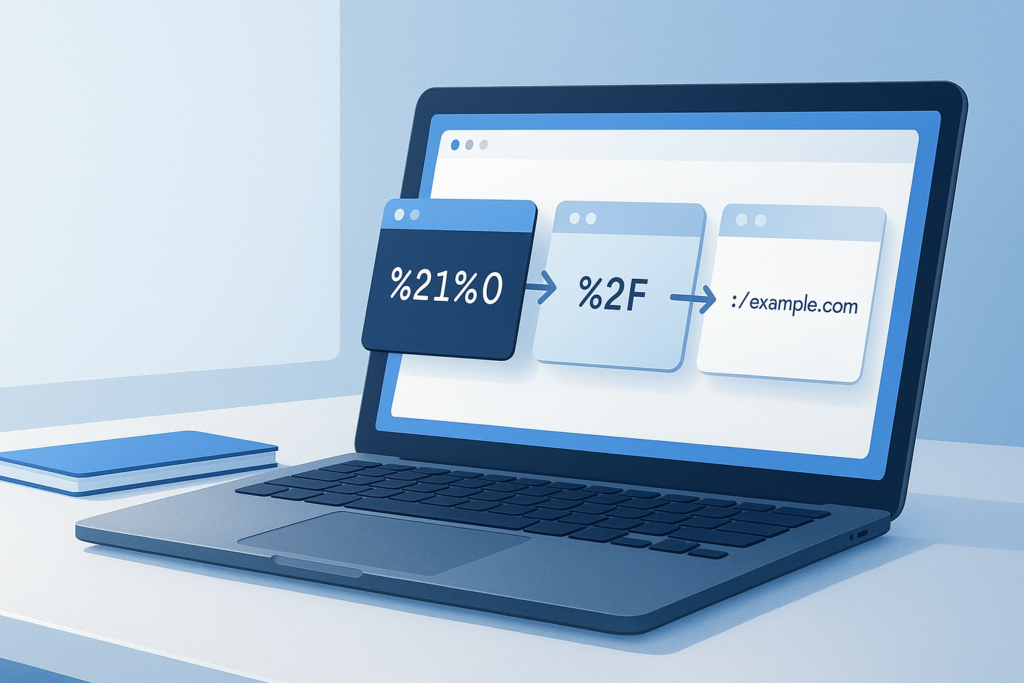
You copy a URL from a browser, email, analytics platform, or form submission and it looks broken: %20, %2F, %3A, plus signs, and other symbols everywhere. If you need to decode URL encoded text, the good news is that nothing is actually wrong with the link. It has simply been converted into a format browsers and web servers can safely pass around.
This guide explains what URL encoding is, how to read it, and how to turn encoded text back into normal, readable text. It is written for general web users, but it is also useful if you work in SEO, digital marketing, content management, analytics, or web research. By the end, you will know when decoding is necessary, how it works, what common characters mean, and how to avoid mistakes when working with encoded URLs and query strings.
Quick answer: how do you decode URL encoded text?
To decode URL encoded text, replace encoded sequences like %20 with their original characters, such as a space. You can do this with an online URL decoder, browser developer tools, or programming functions like JavaScript’s decodeURIComponent(). Decoding is useful when you want to read query parameters, fix copied links, or understand tracked URLs more clearly.
What URL encoded text means
URL encoded text is text that has been converted so it can safely appear inside a web address. Certain characters, such as spaces, ampersands, question marks, slashes, and non-English characters, may cause problems if they are used directly in a URL. Encoding changes those characters into a standard format that browsers and servers can interpret reliably.
The easiest way to understand this is to think of URL encoding as a translation layer. A human might write a phrase like summer sale, but a URL may represent it as summer%20sale or sometimes summer+sale, depending on the context.
Suggested Illustration: URL text changing from plain language into percent-encoded characters and back again
Why people need to decode URL encoded text
Most people do not need to decode every link they see. But when a URL looks unreadable, decoding helps you understand what it says and whether it is correct.
- Reading query strings: Useful when a URL includes search terms, filters, or tracking parameters.
- Troubleshooting links: Helps you spot spaces, broken characters, or incorrectly encoded symbols.
- Reviewing analytics URLs: Makes campaign links and UTM parameters easier to inspect.
- Checking redirects: Decoded text can reveal the real destination or parameter values.
- Working with copied links: Links pasted from spreadsheets, CMS tools, and emails often appear encoded.
A readable URL is easier to verify, troubleshoot, and trust. Decoding helps you see what the browser and server are actually exchanging.
How URL encoding works
URL encoding usually replaces a character with a percent sign followed by two hexadecimal digits. Those digits represent the character in a standard byte-based format. For example, a space often becomes %20.
There is one important limitation to understand. Not every part of a URL is treated the same way. Characters may be encoded differently depending on whether they appear in the path, query string, or form data. That is why you may sometimes see a space represented as %20 and other times as +.
Common URL encoded characters
| Encoded text | Decoded character | Typical meaning |
|---|---|---|
%20 |
Space | Word separation |
+ |
Space in some query/form contexts | Common in form submissions |
%2F |
/ | Slash |
%3A |
: | Colon |
%3F |
? | Query marker |
%26 |
& | Parameter separator |
%3D |
= | Key/value separator |
%23 |
# | Fragment identifier |
How to decode URL encoded text step by step
If you only need to read or fix an encoded link, the process is simple. A basic workflow looks like this.
- Copy the encoded text exactly as it appears. Include the full URL or just the encoded section you want to inspect.
- Paste it into a trusted URL decoder. This converts percent-encoded characters back into readable text.
- Review the result carefully. Check whether spaces, punctuation, slashes, and parameter values now make sense.
- Confirm the context. If the text came from a query string, remember that
+may represent spaces. - Use the decoded result responsibly. If the link came from an unknown source, verify the destination before opening it.
If you regularly handle multiple links during audits or research, decoding is often just one part of the workflow. Once you have reviewed a list of trustworthy URLs, a tool like OpenMultiURL can help open multiple URLs at once instead of checking them one by one.
Example: decode a URL query string
Suppose you copy this URL from a campaign report:
https://example.com/search?q=summer%20shoes&source=email&utm_campaign=spring%20promo
After decoding the query values, you can read it more clearly:
q=summer shoessource=emailutm_campaign=spring promo
In practice, this means decoding makes campaign URLs easier to audit. You can quickly spot typos, inconsistent naming, or accidental extra spaces in tracking parameters.
When decoding is useful for SEO and digital marketing
Even though this guide is written for general web users, URL decoding is especially helpful in search and marketing workflows because many tools export encoded links.
SEO use cases
- Inspecting crawl paths: Encoded characters can hide parameter issues or broken internal links.
- Understanding canonical and redirect targets: Decoding lets you verify whether the destination is what you expect.
- Reviewing search URLs: Site search pages often encode user queries and filters.
- Checking multilingual URLs: Non-ASCII characters may appear percent-encoded.
Digital marketing use cases
- Validating UTM parameters: Useful for campaign naming consistency.
- Reviewing paid ad destination URLs: Helps catch malformed parameters before launch.
- Checking email links: Some email tools heavily encode tracking URLs.
- Debugging analytics filters: Decoding can reveal the real values being passed.
For official background on how Google handles crawling and URLs, see Google Search Central guidance on URL structure.
Manual decoding vs using a URL decoder
You can decode a few characters manually if you recognize the common patterns. But once a URL becomes long or contains several parameters, using a decoder is faster and less error-prone.
| Method | Best for | Advantages | Limitations |
|---|---|---|---|
| Manual reading | Short strings | Quick for common codes | Easy to miss errors |
| Online URL decoder | Most users | Fast and readable | Should not be used for sensitive private data unless you trust the environment |
| Developer tools or code | Technical users | Precise and repeatable | Requires technical familiarity |
How to decode URL encoded text in a browser or code
If you prefer not to use an online tool, most browsers and programming languages provide built-in ways to decode URL components.
JavaScript example
If the encoded text is a URL component, JavaScript commonly uses decodeURIComponent():
decodeURIComponent("summer%20shoes")
This returns summer shoes. MDN provides a reliable technical reference for this function at MDN: decodeURIComponent().
Form-style plus signs
Here is where many beginners get confused. decodeURIComponent() does not automatically convert + into a space. If your encoded text came from form data or a query string that uses plus signs, you may need to replace + with spaces before decoding.
That difference exists because query encoding conventions and raw URI component encoding are not always identical. For broader standards background, see the RFC 3986 URI specification.
Common mistakes when trying to decode URL encoded text
Most decoding problems are caused by context, not by the encoding itself. These are the mistakes that come up most often.
- Decoding the whole URL when only one part should be decoded: This can change structural characters like
?and&in ways that make the result confusing. - Ignoring plus signs: In many query strings,
+means a space. If you miss that, the decoded text may still look wrong. - Decoding twice: A string that has already been decoded may break if you decode it again.
- Assuming every percent sign means valid encoding: Badly copied URLs can contain incomplete or malformed sequences.
- Opening suspicious links without checking them first: Decoding can reveal hidden destinations, but you should still verify unfamiliar URLs carefully.
How to tell whether a URL needs decoding
You probably need to decode URL encoded text if you see percent codes or unreadable parameter values and you are trying to understand what the link contains.
- Look for patterns like
%20,%2F,%3D, or repeated percent signs. - Check whether the query string contains words broken up by symbols.
- See whether campaign names, search terms, or filenames are hard to read.
- If the browser shows a clean page but the copied URL looks messy, decoding can help interpret it.
A related concept is understanding long URLs and parameter-heavy links more generally. That matters when you manage website research, reporting, or browser workflows with larger URL lists.
Limitations and things to keep in mind
Decoding is useful, but it does not solve every URL problem.
- It does not guarantee the link is safe. A decoded URL can still lead to a harmful or misleading destination.
- It does not fix a dead page. If the target page is gone, decoding only helps you understand the original link.
- It may not restore intent if the URL was malformed. Broken encoding can make recovery incomplete.
- Different systems may encode differently. Browsers, forms, CMS tools, analytics platforms, and apps may output URLs in slightly different ways.
For technical background on percent-encoding in web URLs, MDN also has a useful overview at MDN: Percent-encoding.
Safe workflow for checking encoded links
Before you begin, keep this in mind: decoding makes a link readable, but safe handling still matters.
- Inspect the encoded text first. Do not click immediately if the source is unfamiliar.
- Decode the text in a trusted environment. This lets you review the destination more clearly.
- Check the domain name carefully. Look for misspellings, unusual subdomains, or deceptive structures.
- Review parameters. Some links contain long tracking strings or redirects that deserve a second look.
- Open only if it appears legitimate. If in doubt, visit the main domain directly rather than following the full link.
Decoding should improve clarity, not lower your guard. Read the link first, then decide whether it is worth opening.
Practical workflows for people handling many links
If you only decode links occasionally, a basic tool is enough. If you work with dozens of URLs at a time, it helps to build a cleaner process.
For researchers and marketers
- Export URLs from your spreadsheet or SEO tool.
- Decode parameter-heavy links when you need to read titles, campaigns, or search queries.
- Remove duplicates and verify the domains.
- Open the approved list in batches to avoid tab overload.
For everyday web users
- Decode copied links that look unreadable.
- Check whether the page name or search phrase appears correctly.
- Share the readable version when appropriate, but keep the original working URL if needed.
If your task eventually involves reviewing many approved pages, OpenMultiURL can be a practical next step because it helps you open multiple URLs at once instead of repeating the same manual process.
Suggested Image: Clean workflow showing encoded URLs being reviewed, decoded, organized, and then opened in batches
Frequently asked questions
1. What does %20 mean in a URL?
%20 usually represents a space character in URL encoding. Browsers and web servers use it so spaces can be included safely in a web address or parameter value. For example, red%20shoes decodes to red shoes. In some query string contexts, a space may appear as + instead, which is why context matters.
2. Is decoding a URL the same as shortening it?
No. Decoding a URL converts encoded characters back into readable text. URL shortening creates a new, usually much shorter link that redirects elsewhere. These are completely different tasks. A URL can be both shortened and encoded, but decoding will not remove the redirect behavior of a short link.
3. Can I decode only part of a URL?
Yes, and that is often the best approach. Many times you only need to decode one parameter value, filename, or path segment. Decoding the entire URL is not always necessary and can make structural separators harder to interpret. If you are troubleshooting a specific query parameter, focus on that component first.
4. Why does a plus sign sometimes mean a space?
In many form submissions and query string conventions, + is used to represent a space. However, this is not exactly the same as standard percent-encoding for all URI components. That is why some decoding methods convert %20 but do not automatically convert +. If your decoded text still looks wrong, check whether plus signs should be treated as spaces.
5. Is it safe to decode unknown URLs?
Decoding a URL for inspection is generally safer than clicking it immediately because it helps you understand the destination first. Still, you should treat unknown links cautiously. Decoding does not make a harmful link safe. Always verify the domain and avoid opening suspicious URLs, especially those from unfamiliar messages, emails, or downloads.
6. Does URL decoding help with SEO?
Indirectly, yes. Decoding helps SEO professionals and site owners read parameter values, inspect internal links, review redirects, and troubleshoot malformed URLs. It does not improve rankings by itself, but it supports cleaner audits and more accurate analysis. If you manage campaigns or site search URLs, decoding can make your data much easier to understand.
7. Why does my decoded text still look wrong?
There are several possibilities. The original URL may be malformed, the text may need plus signs converted into spaces, or you may have decoded the wrong section. Another common issue is double-encoding, where a value has been encoded more than once. In that case, one pass may not fully restore the readable text, but repeated decoding should be done carefully.
8. Can browsers decode URLs automatically?
Browsers often display parts of a URL in a friendlier way, but they do not always show every component in fully decoded form. The exact behavior can vary by browser and context. If you need to inspect a query string precisely, a dedicated decoder or developer tool is usually more reliable than relying on the address bar display alone.
Conclusion
If you need to decode URL encoded text, the main goal is simple: turn unreadable link fragments back into normal text so you can understand, troubleshoot, and verify them. Once you know that %20, %2F, %3D, and similar patterns are just encoded characters, messy URLs become much easier to work with.
For occasional use, a straightforward URL decoder is usually enough. For larger research or auditing workflows, decoding is often the first step before organizing and opening approved links in batches. If that sounds familiar, OpenMultiURL can help reduce repetitive browser work by letting you open multiple URLs at once after you have reviewed them.